Integrations: API, webhooks, analytics, email tools
Connect your own tools: the Partner API and webhooks, Brevo contact sync, Google Analytics and Google Ads attribution, UTM on emails, and the payment providers.
Updated 2026-10-15
What connects to what
| Integration | Direction | Where | Plan |
|---|---|---|---|
| Channel manager (Booking.com, Hostelworld, Airbnb…) | Both ways | Distribution › Channels | see Channels |
| Payment providers: Stripe, Bold | Inbound payments | Property Settings › Payments | Essentials |
| Partner API (read, plus seasonal rates) | Your tools read us | Property Settings › API keys | Complete |
| Webhooks | We call your URL | Property Settings › Webhooks | Complete |
| Brevo contact sync | Guests with consent → your list | Property Settings › Brevo | Essentials |
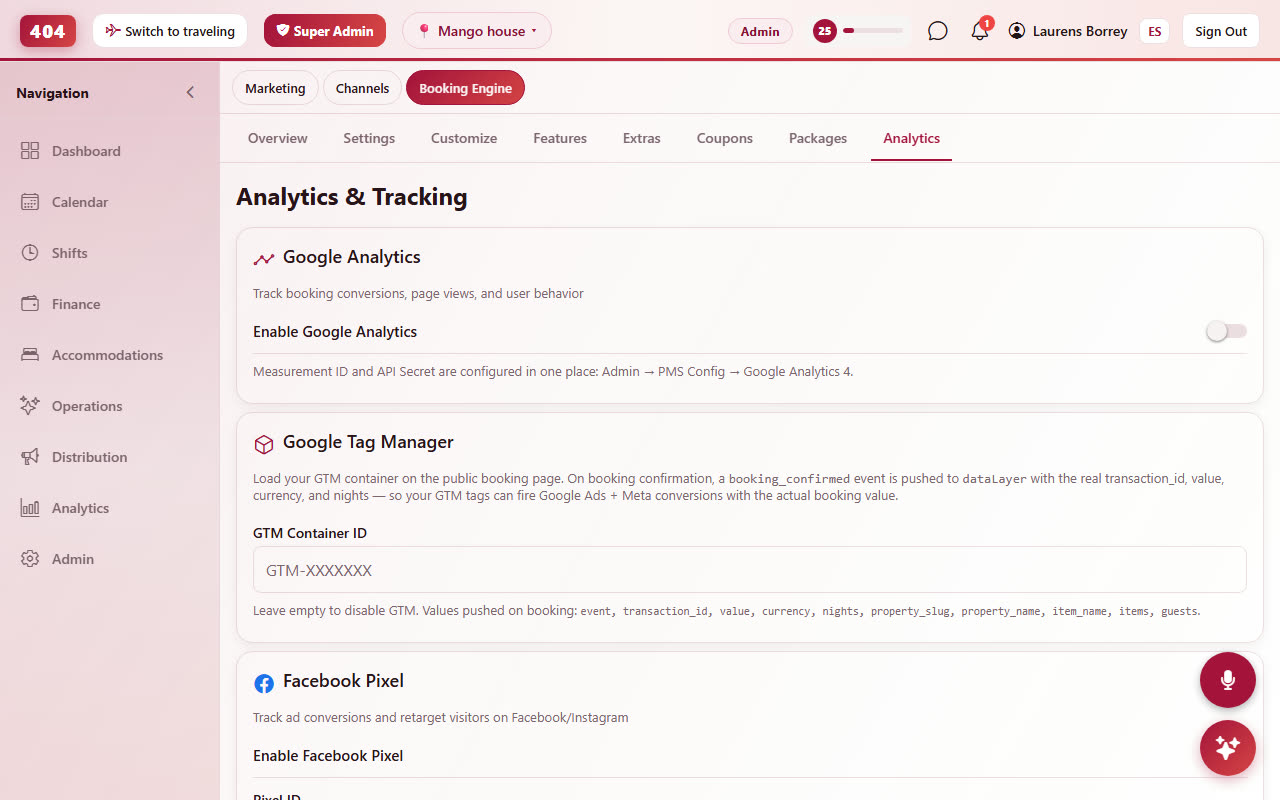
| Google Analytics 4 and Google Ads | Booking events → your account | Booking Engine › Analytics | Complete |
| UTM on guest emails | Links to your site | Communications › template | Essentials |
Partner API Complete plan
Property Settings›API keys›Generate key. The key is shown once; it is bound to one property and is read-only unless you tick a write scope when creating it. Send it as X-API-Key on every request to https://api.travel404.com/api/v1/partner.
| Endpoint | Gives you |
|---|---|
GET /property | Name, address, timezone, currency, check-in/out, contact |
GET /availability?check_in&check_out | Live rooms and prices for a stay, exactly as the booking page quotes them |
GET /reservations, /reservations/{id} | Bookings with guest, room, dates, amounts, payment status, consent, volunteer flag, Ads attribution |
GET /guests (scope read:guests) | One row per person across your organisation, with completed stays and consent |
GET /occupancy, /reports/stay-weeks, /reports/abandoned-cart | Occupancy and the two funnel reports, JSON or CSV |
GET /pos/*, /extras/*, /extensions, /activities | Sales, add-ons, stay extensions, activity signups |
GET/POST/PUT/DELETE /seasonal-rates (scope write:seasonal_rates) | Your own revenue tool writing seasons |
Scopes are chosen at creation; a read scope such as guests can be added to an existing key from the card (the secret stays the same). The full reference with field lists and examples is in the repository document docs/PARTNER_API.md; ask us for a copy if you do not have access.
Webhooks Complete plan
Property Settings›Webhooks›Add endpoint. We POST to your URL on reservation.created, .modified, .cancelled, .checked_in, .checked_out and guest.marketing_opt_in_changed; "Send test" delivers a ping. An endpoint made at one property fires for every property in your organisation unless you untick that.
Every request carries X-T404-Signature, the HMAC-SHA256 of the raw body with the endpoint's secret (shown once), plus X-T404-Event and a unique X-T404-Delivery id for de-duplication. Answer 2xx within 10 seconds; anything else is retried with backoff for 24 hours. The card shows the last 50 deliveries with status and next retry.
Guest consent, and why your list stays clean All plans
Marketing consent lives on the guest, never on the booking, and nothing sets it to yes except the guest (unticked box on the booking page or the check-in form) or a staff member recording an explicit request, logged with their name. Imports never set it. Brevo sync, the /guests endpoint and the consent webhook all read this one flag, so a guest who said no stays out of every tool. See Guests › consent.
Brevo contact sync All plans
Property Settings›Brevo. Paste a Brevo API key and pick the list; from then on every guest with marketing consent is created or updated in that list, with attributes for stays, last check-out and the houses they stayed at, on check-out, on a booking change and when consent changes; a guest who withdraws consent is taken off the Travel404 list (never blacklisted account-wide, so a newsletter they signed up for on your own site is untouched). The card shows the last sync and any rejected contacts. Sending the campaigns themselves stays in Brevo.
Google Analytics 4 Complete plan
Booking Engine›Analytics. Paste your Measurement ID (and optionally an API secret, which is stored write-only) and the booking page sends begin_checkout and purchase with the booking value and currency, from the browser and, when the API secret is set, server-side as well, so a blocked browser pixel does not lose the purchase. The Analytics tab in the engine and Marketing performance under Reports show the same funnel without leaving the app.
Google Ads attribution Complete plan
Every booking stores the Ads click id it came from (gclid, wbraid or gbraid) and the moment of the click, and the purchase event carries it, so Ads can count the conversion. This also works when the ad sends people to your own home page first and they open the embedded widget later: the widget reads the click cookies your site already holds. Bookings from Ads show their campaign on the booking's detail and in the Partner API.
UTM on guest emails All plans
In every automated email, links that point to your own website (the Website field in Property Settings) get utm_source=travel404&utm_medium=email&utm_campaign=<template> added at send time. Links to the booking page or other sites are untouched, and a link that already carries its own UTM is left as written. The three values are editable per template under "Link tracking".
Payment providers All plans
Property Settings›Payments. Connect Stripe (cards worldwide) or Bold (Colombia: cards, PSE, Nequi) with your own keys; the webhook secret pasted there is what lets payments book themselves on the folio. Deposits, payment links and the booking page all use the connected provider; the booking page falls back to a redirect checkout when an ad blocker hides the embedded one. See Booking engine › deposit and Finance › transactions.