Channel manager
A channel manager keeps your inventory in lockstep with every online travel agency you sell on. Booking on any OTA updates your Travel404 calendar in seconds, and any rate or availability change you make in Travel404 pushes back out to every channel automatically.
What a channel manager is
Without a channel manager, a property has to log in to each OTA extranet separately to update rates, availability, and restrictions — and update its own PMS at the same time. The result is inevitable: overbookings, stale rates, and time spent on data entry instead of guests.
With a channel manager, the PMS is the single source of truth. Every channel reads from it and writes to it. One booking on Hostelworld updates the calendar in Travel404 immediately, which then pushes the new availability to every other channel. No double-booking, no extranet juggling.
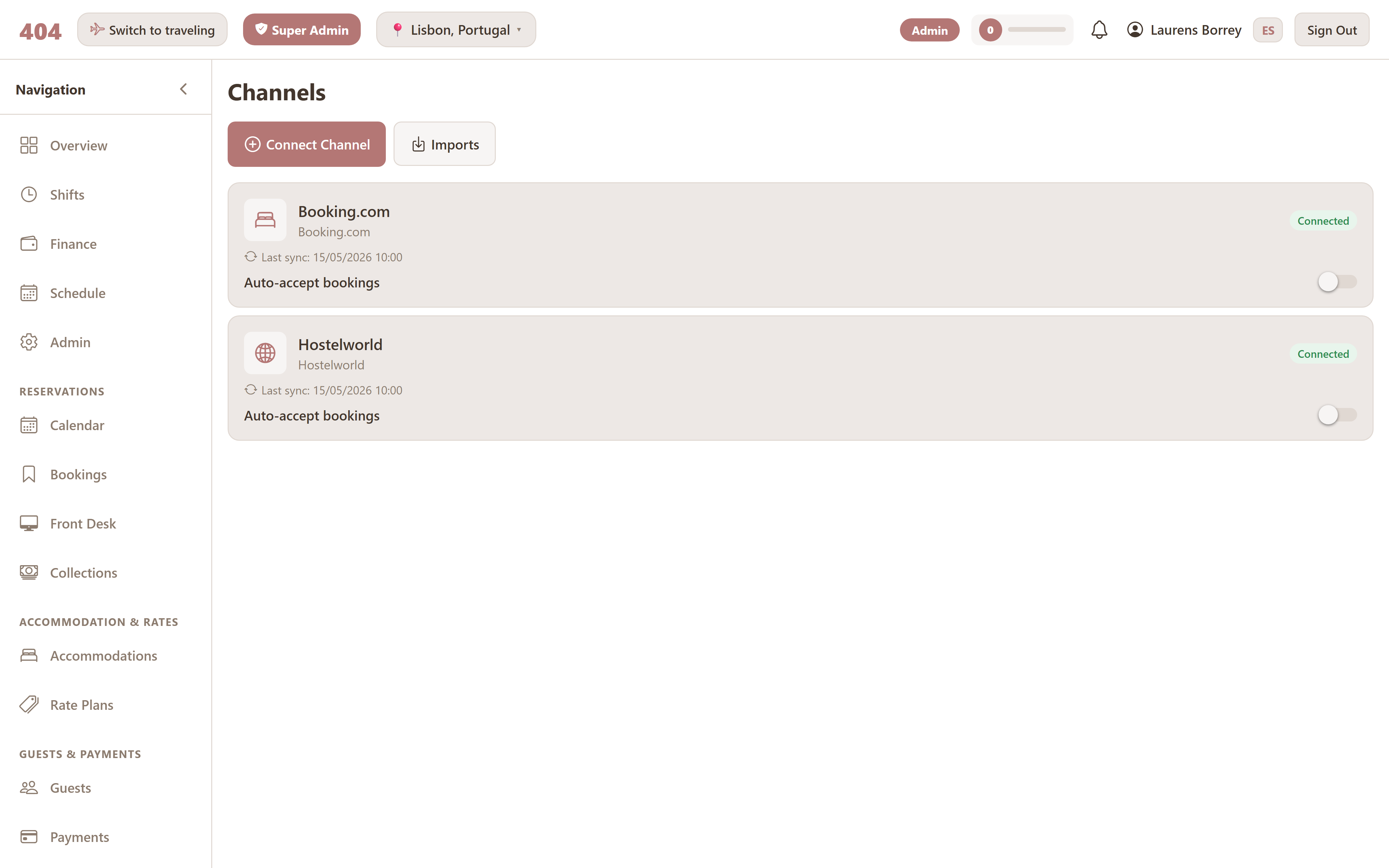
Channels supported
Travel404 uses Channex.io as its distribution layer — a mature, battle-tested channel network used by thousands of properties. Through that integration:
- Booking.com
- Hostelworld
- Airbnb
- Expedia (and the family — Hotels.com, Orbitz, etc.)
- Google Hotel Ads
- 200+ regional and niche OTAs — typical hostel chains, country-specific channels, and metasearch engines
Adding a new channel is the same flow regardless of which OTA — pick from a list, paste credentials, map your rooms.
Connecting a channel
The first time a channel is connected, three things happen:
- Credentials are saved, encrypted with AES-256. The original API keys aren't retrievable from the UI after save — only the masked versions.
- The connection is tested — Travel404 makes a handshake call to the channel and verifies the property is reachable.
- Initial sync runs — your current rates, availability, and restrictions are pushed out so the channel starts in a known good state.
From then on, sync runs automatically on every change.
Mappings
Every OTA represents your rooms slightly differently — "6-bed Mixed Dorm" on one channel might be "Standard Dormitory Bed" on another. Mappings tell each channel which of your rooms corresponds to which of theirs, and which of your rate plans matches which of theirs.
Done once at setup; revisited when you add a new room type or connect a new channel. Mappings are stored per-channel-per-room.
Rate & availability sync
Travel404 pushes two flows out and pulls one in:
Availability push
Every booking change pushes new availability to all channels in real time.
Rate & restriction push
Price changes, min-stay, stop-sell, CTA/CTD all stay identical everywhere.
Inbound bookings
Webhook-based — bookings made on an OTA land in your calendar within seconds.
Sync is delta-based: only what changed gets sent. That keeps the noise down, the channel APIs happy, and your sync logs scannable.
Restrictions
For busy periods or specific dates, you can set restrictions per channel:
- Minimum stay — guest must book at least N nights.
- Stop-sell — close the room for those dates on this channel.
- Close to arrival (CTA) — can't start a stay on these dates.
- Close to departure (CTD) — can't end a stay on these dates.
Restrictions can be applied globally (every channel) or per-channel. The latter is useful when, for example, you want Hostelworld to keep selling a long weekend but Booking.com to be stopped.
Manual push
Automatic sync runs continuously, but occasionally you'll want to push right now — usually after a manual reconciliation. The Manual Availability/Rate Push button forces a full push outside the regular schedule. Use sparingly; the automatic flow handles 99% of cases.
Failure handling
When a channel rejects an update (auth expired, bad data, channel down) Travel404 doesn't fail silently. The rejected update goes into a dead-letter queue and the team is alerted. A safety-sweep reconcile job also runs every few hours, catching anything missed in real time.