Guests All plans
The guest list and guest cards: what the numbers mean, companions, the online check-in, consent, tags and surveys.
Updated 2026-10-15
The guest list
Guests lists everyone who has or had a booking at the property, newest first, with search by name, email, country or phone. Room-block placeholders never appear here. Each card shows the guest's numbers, tags and consent state; click it for the full card.
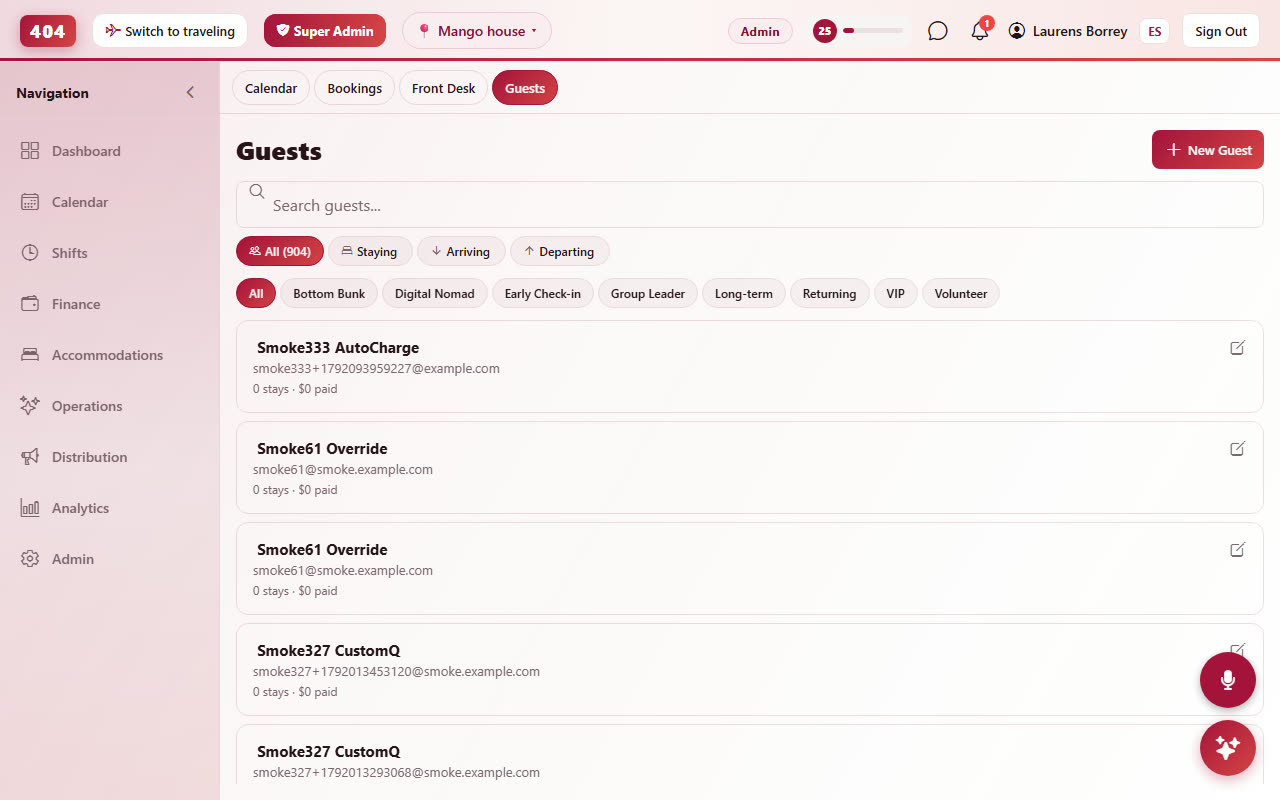
What "stays · upcoming · paid" means
The numbers are computed live from the bookings every time you open the page:
- Stays: bookings already lived (checked in or checked out), including stays where the person was a companion.
- Upcoming: confirmed bookings that have not ended yet.
- Paid: what the guest has actually paid on bookings they made, deposits included. A companion paid nothing, so their card shows 0.
Cancelled bookings, no-shows and room blocks are ignored.
Companions
A guest who books for two adds the second person's name and email on the booking page; the companion gets their own guest card marked with the booking "as companion". Staff can add companions from the booking's Guest tab. Companions receive their own check-in link and, once they have the app, see the same stay.
Online check-in form
Every booking has a registration link (Guest tab › Registration link). The guest opens it without an account and fills in name, nationality, passport, date of birth, phone, arrival time, your custom questions and house-rules consent, in English or Spanish. The answers land on the guest card: phone, date of birth and nationality replace whatever the desk typed, name and email fill in when they were blank, and the booking's History records what changed. When the booking has no email yet, the form asks for one and requires it. The link is also a merge tag for your pre-arrival email: {{registration_link}}.
Marketing consent and language
Consent to marketing emails is a tick box on the booking page and on the check-in form; staff can set it on the guest card with a note. The guest's language (EN/ES) comes from the language they booked or checked in with and decides which version of your emails they receive; you can change it on the card. Partners connected through the API or Brevo receive only consented guests.
Arrival survey and reviews
A short survey goes out after check-in (what brought them, how they found you) and a review request after check-out. Answers show on the guest card under Arrival survey; the reports page aggregates them per month. Both emails are templates you can edit under Communications.