PMS — rooms, rates, bookings
The Property Management System is the operational core of Travel404. It's built around hostels and coliving — dorm beds, mixed rooms, multi-guest rates — not retro-fitted from a hotel tool.
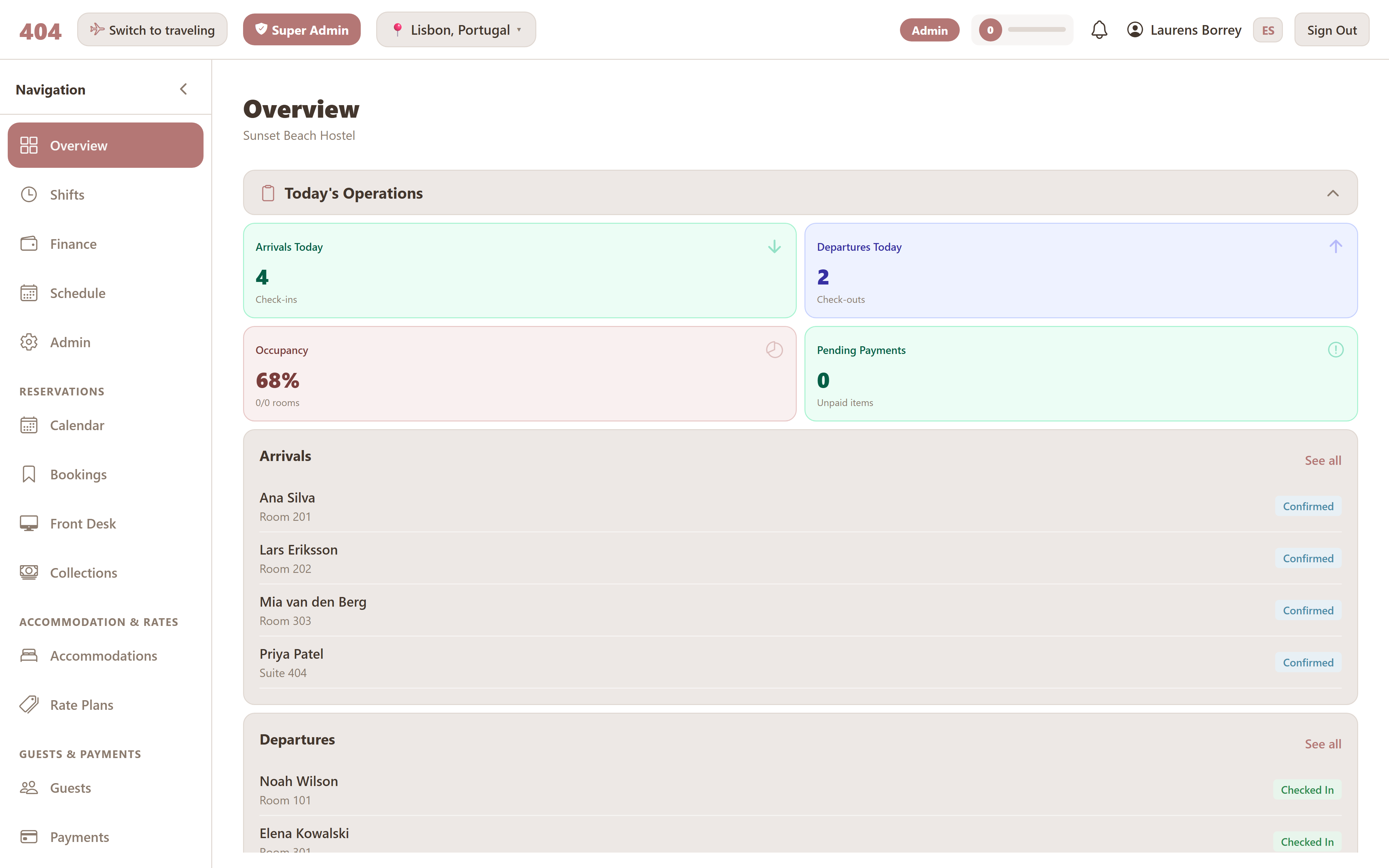
What's in the PMS
Calendar
Drag-and-drop tape chart with every bed and every booking on one timeline.
Bookings
Searchable list of every reservation — the lookup view.
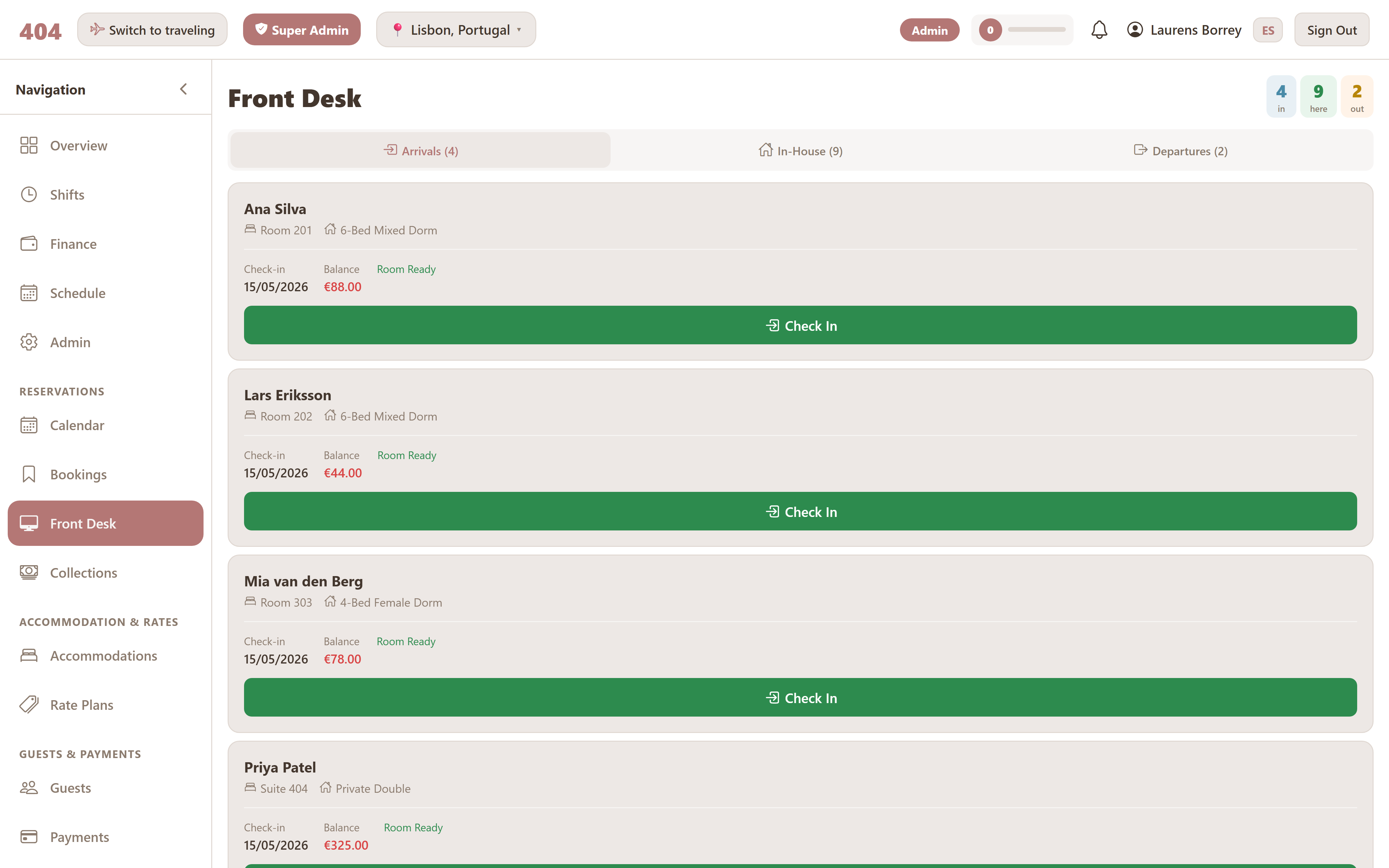
Front desk
One-click check-in / check-out for today's arrivals and departures.
Rooms
Configure dorms, private rooms, mixed-types, beds, amenities.
Rate plans
Set per-room or per-bed prices, with seasonal and extra-guest rules.
Folios
Every charge on each stay, with payments and credits applied.
Collections
Outstanding balances across the property.
Invoices
Generate, issue, and void tax-compliant invoices.
Rooms & beds setup
Travel404 supports three accommodation patterns natively:
- Dorms — multiple individual beds in one room, sold per bed. Each bed can have its own amenities (lower bunk, by window, with locker, etc.).
- Private rooms — one room sold as a unit, with a configured number of beds inside and a price per night.
- Mixed types — a private room that can also be sold by the bed when not booked as a whole.
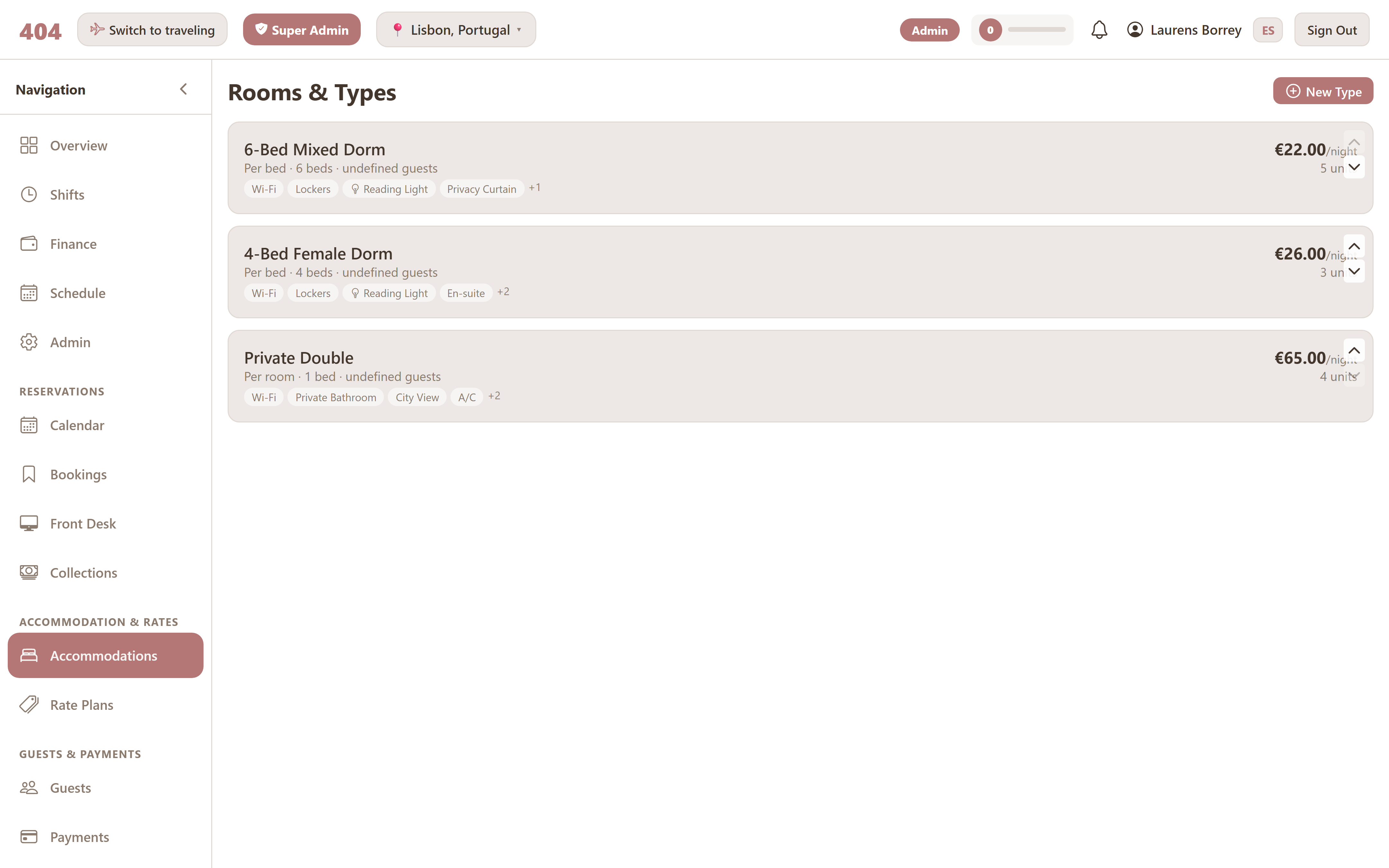
Three pricing modes
Every room is configured with one of three pricing modes — the one that actually matches how the property charges:
Whole-room flat
One price per night regardless of how many guests stay. Best for private rooms with a fixed rate.
Per-bed
One price per bed per night. Best for dorms; each bed in the room can be sold separately.
Per-room with extras
Base price covers 1–2 guests; additional guests are charged extra. Three sub-modes for how extras are priced.
Extra-guest pricing
For Per-room-with-extras mode, the property chooses how extras are charged:
- Flat fee per extra guest — same number for every additional guest.
- Percentage of base rate — each extra costs a percentage of the room's nightly rate.
- Price ladder — first extra costs X, second costs Y, third costs Z. Best for properties where the 2nd extra-guest is the same price as the 1st but the 3rd costs more.
Rate plans
A rate plan is the price for a given room or bed type. Each property can run multiple plans simultaneously (standard, weekend, low-season) and the calendar shows them side by side. Rate plans flow straight into the channel manager so the same number goes out to every OTA.
The calendar
The tape-chart calendar is the primary view for working with reservations. Every bed appears as its own row; every booking as a coloured bar across the dates it covers.
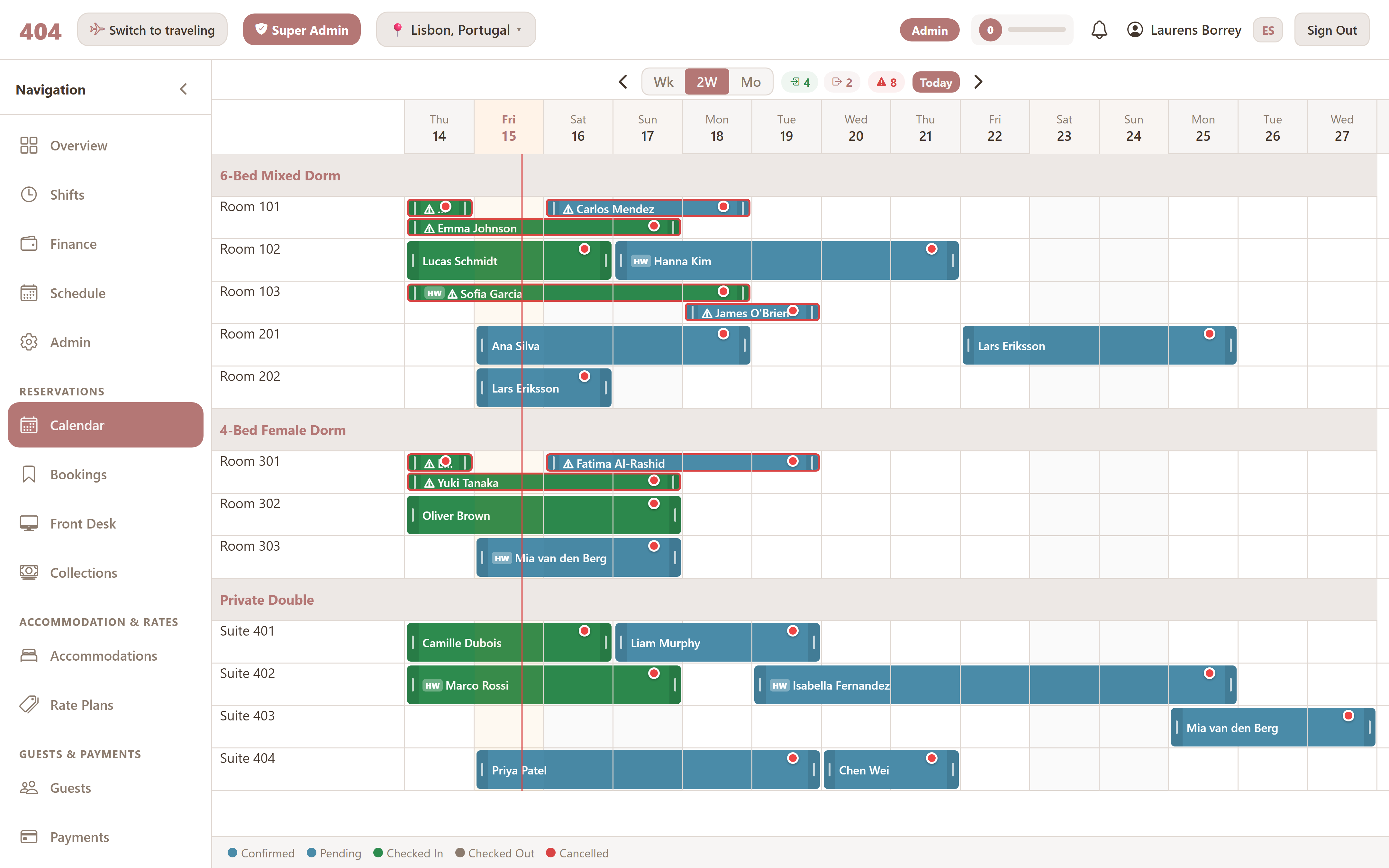
- Drag and drop to move or extend a booking; the new dates save instantly.
- Week, 2-week and month views — switch by zoom level depending on whether you're working today or planning out.
- Overbooking detection — if a move would create a clash, the calendar warns before saving.
- OTA badges on every booking show which channel it came from (Booking.com, Hostelworld, Airbnb, direct, etc.).
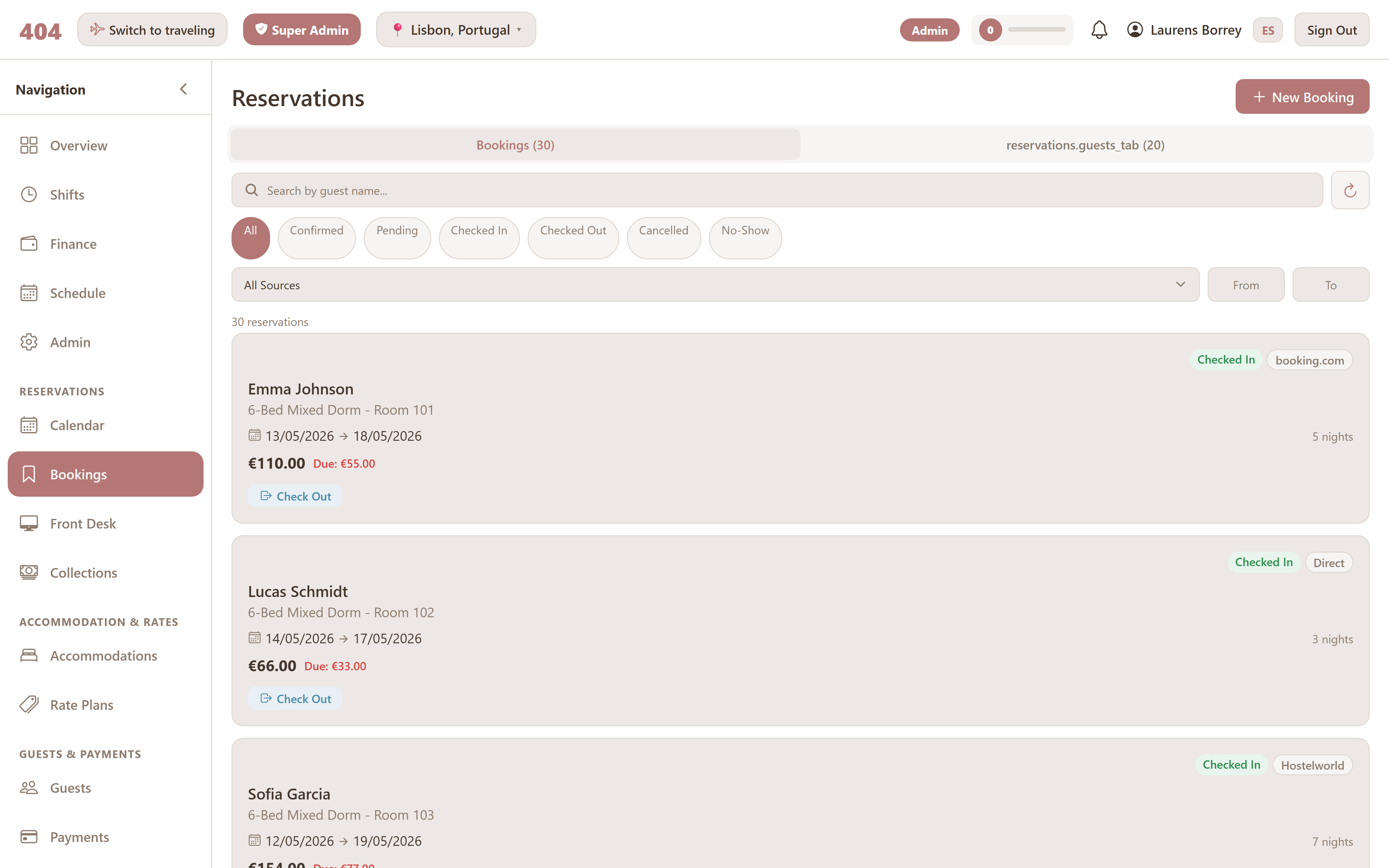
Bookings list
Same data as the calendar, presented as a searchable list. One row per booking. Use this when you need to find a specific reservation by guest name, dates, status, or channel — and the calendar would have you scrolling.
Front desk
A streamlined view for reception during arrivals and departures. Three sections — Arriving, In-house, Departing — with a single button per action. No clutter, no extra clicks; just the day's flow.
Folios & payments
Every reservation has a folio — the list of charges and payments for that stay. Charges come from the room rate, the booking engine's extras, POS sales added to the room, activity sign-ups, and any manual additions.
Payments accepted:
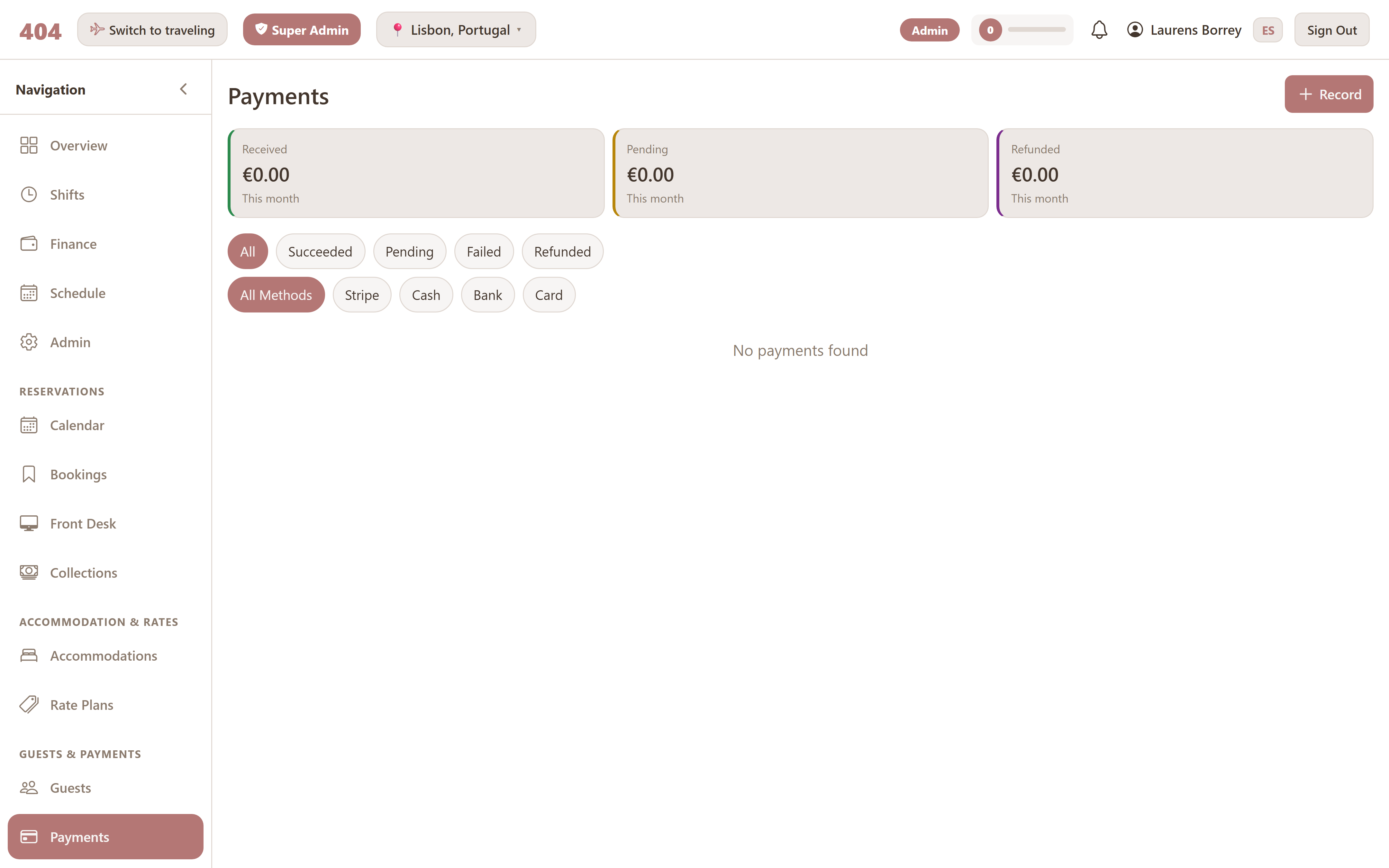
- Card via Stripe — charged through the connected payment processor.
- Cash — recorded against the folio; flows to the cash drawer reconciliation on the active shift.
- Bank transfer — recorded against the folio for tracking.
- Deposits & payment plans — partial pre-payments with the remainder due later.
Collections
Outstanding balances across all reservations land on the Collections page. Filter by guest, dates, channel, or amount; mark a balance as in-progress, settled, or written off as the case is worked.
Invoices
For properties that need to hand a guest a formal tax-compliant invoice at checkout, the PMS generates one per reservation. Invoices can be issued, reissued, or voided; each action is audit-logged with the actor and timestamp.